


TEAM SAP Vista
Typically replies in a few hours

Customer Care Team
Hi there
How can i help you today?
How can i help you today?

Start Whatsapp Chat

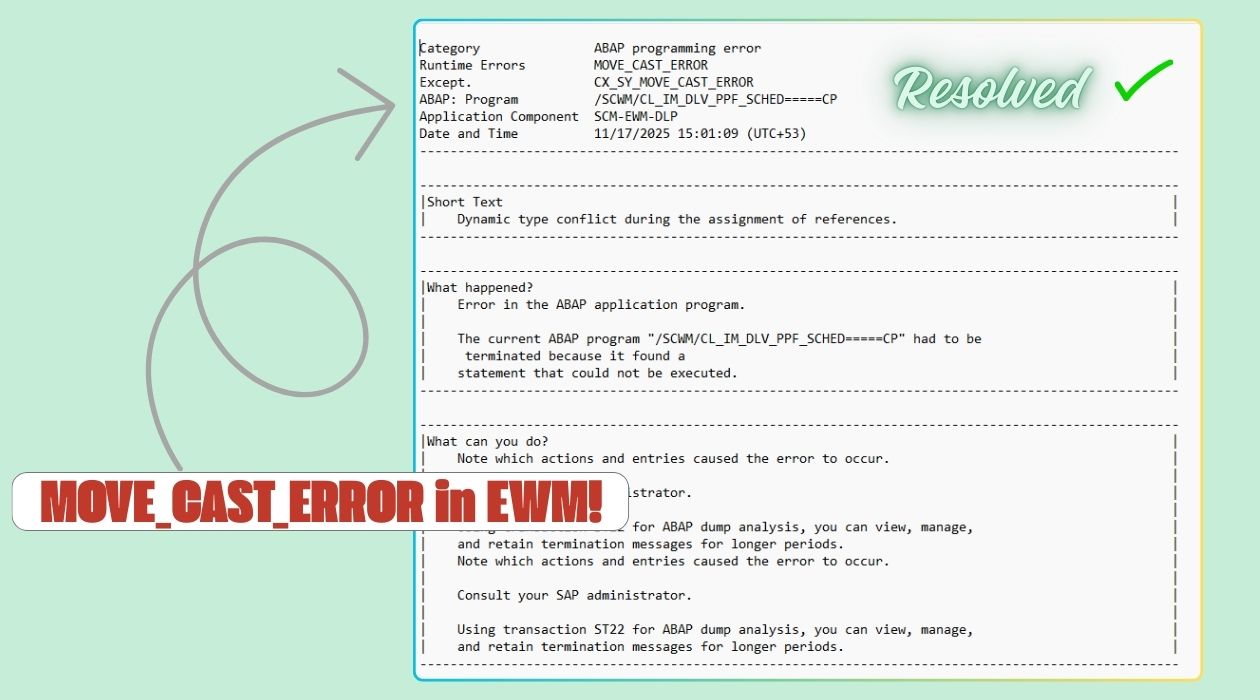
Goods Issue posting for an outbound delivery in SAP Extended Warehouse Management fails with an ABAP dump. The error appears during standard delivery scheduling and TU creation, even though only standard SAP code is involved.
During Goods Issue posting, the system terminates with the following dump:
• Runtime error: MOVE_CAST_ERROR
• Exception: CX_SY_MOVE_CAST_ERROR
• Program: /SCWM/CL_IM_DLV_PPF_SCHED=====CP
• Method: SCHED_TU_CREATION
• Transaction: /SCWM/PRDO
• Component: SCM-EWM-DLP
This is not a code defect.
The dump is caused by incorrect configuration of the action profile assigned to the outbound delivery document type.
In SAP EWM, delivery scheduling and TU creation depend on the Post Processing Framework. The action profile defines how the outbound delivery is processed during scheduling.
When the action profile does not match the delivery category and document type, the scheduling logic receives an unexpected processing context. Standard SAP code then attempts to work with an incompatible delivery header reference, which leads to the MOVE_CAST_ERROR dump.
In short
Standard SAP code fails because configuration puts it into an invalid state.
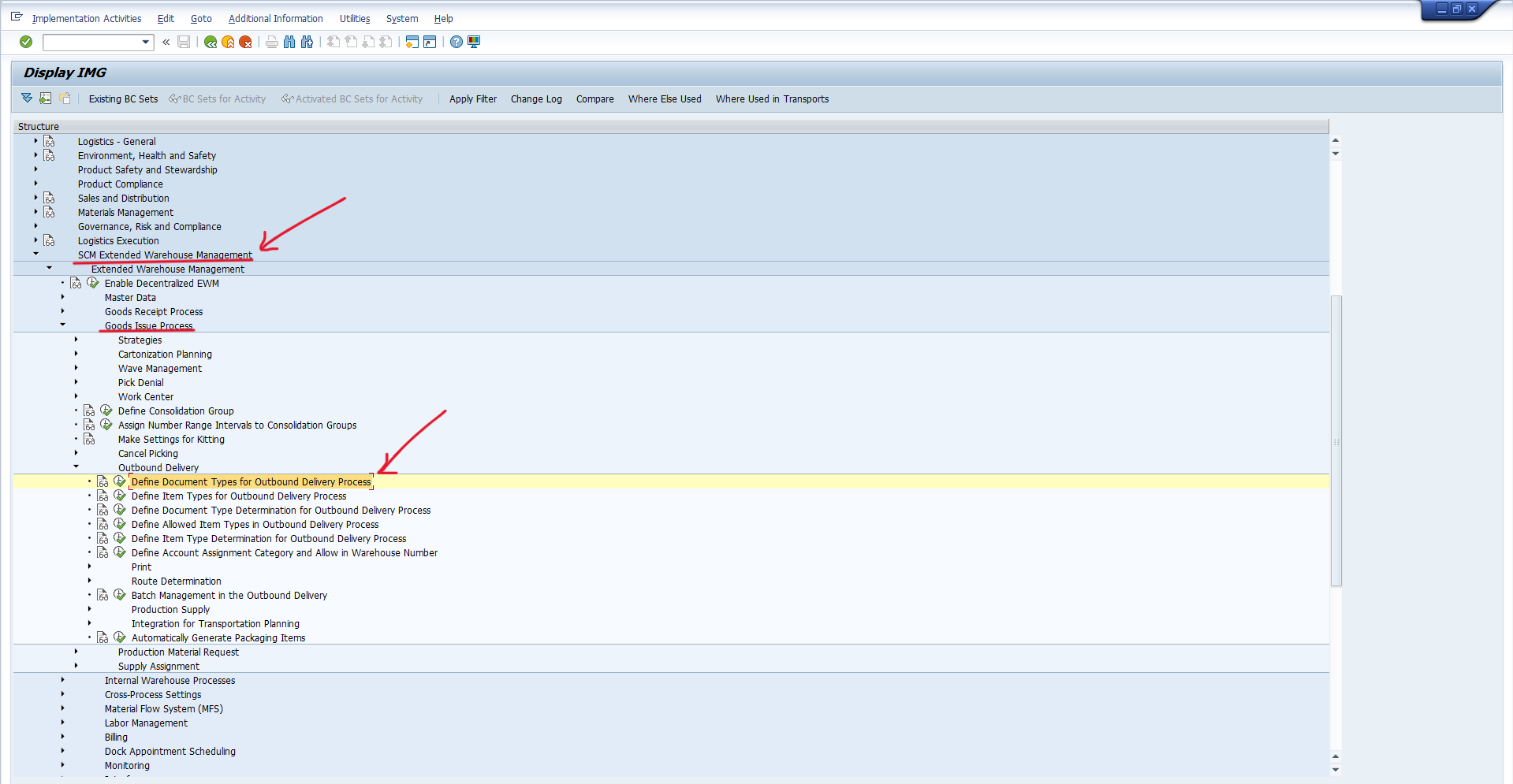
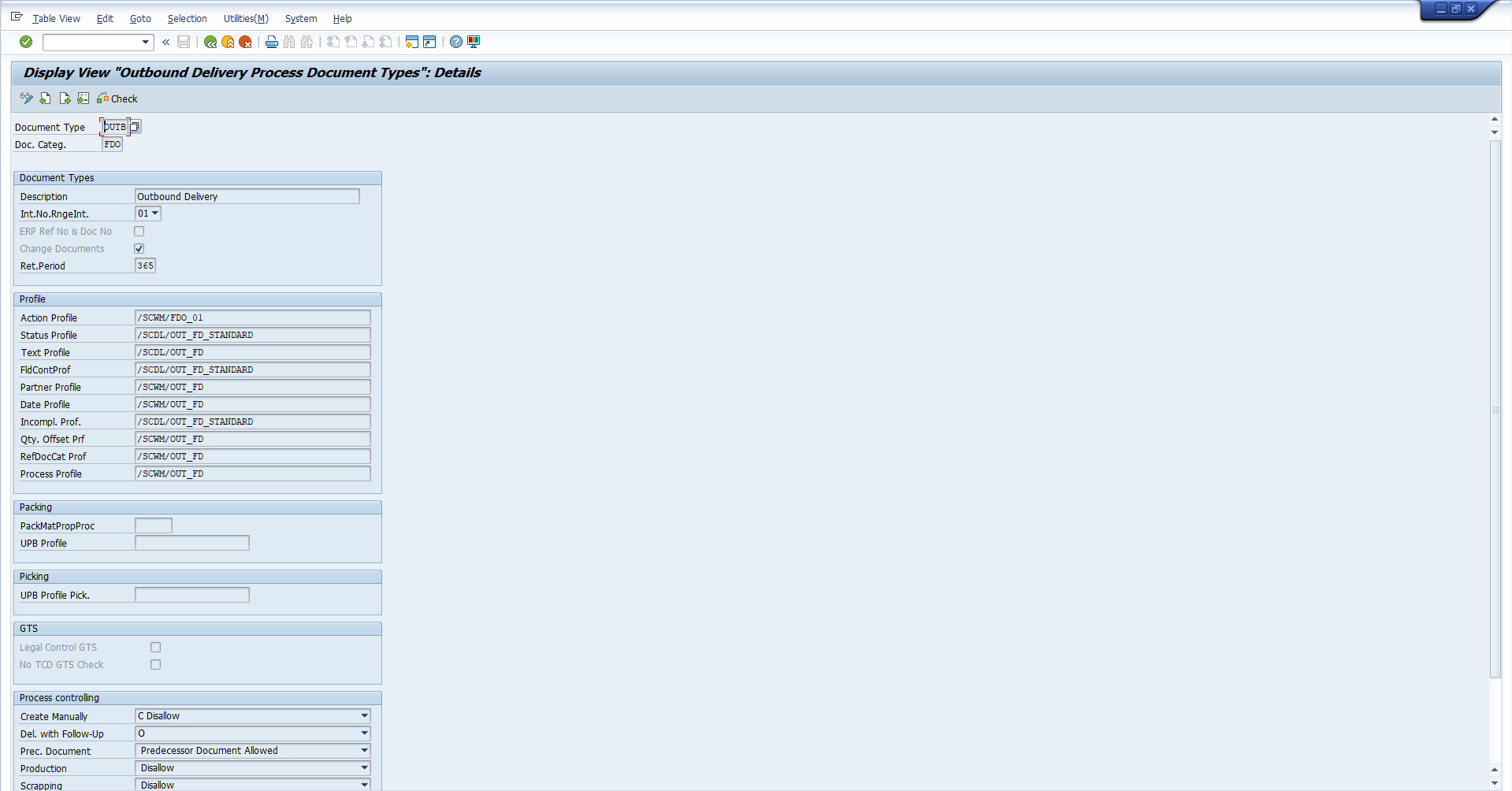
After this change, Goods Issue posting via /SCWM/PRDO works without any dump.
SAP has documented this issue and its resolution in the following Knowledge Base Article:
Check the SNOTE: 3685116
The issue was initially investigated as a technical problem due to the dump signature. Debugging and dump analysis did not point to any missing SAP correction.
After engaging SAP Support, the focus shifted to outbound delivery configuration. SAP Support quickly identified a mismatch in the action profile assigned to the outbound delivery document type.
Once the configuration was corrected, the dump stopped immediately.
Based on this validation and at the request of the ALTZEN team, SAP documented the resolution so other teams can identify the issue faster in the future.
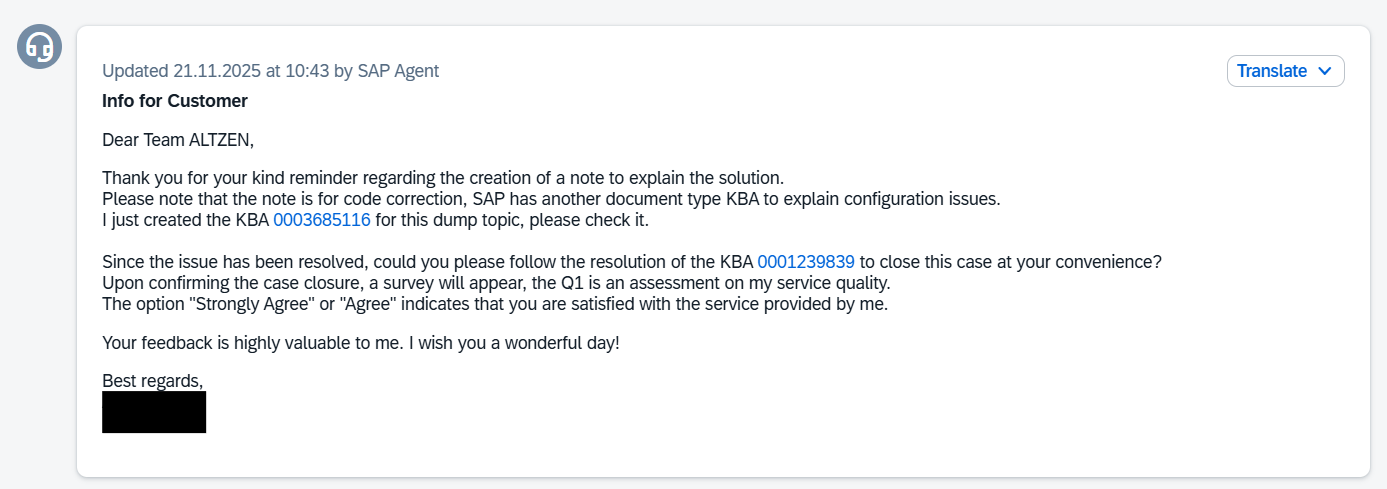
In this case, what looked like a technical failure was resolved entirely through configuration. Thanks to collaboration with SAP Support and follow-up by the ALTZEN team, the fix is now formally documented and easier for others to find.


16192 Coastal Highway,
Lewes, DE 19958
Call us : +1 302-514-1166

Call us : +91-9059811078

.webp)


.webp)


